GTA 6 Wanted System Explained: Stars, Heat Indicators, and More
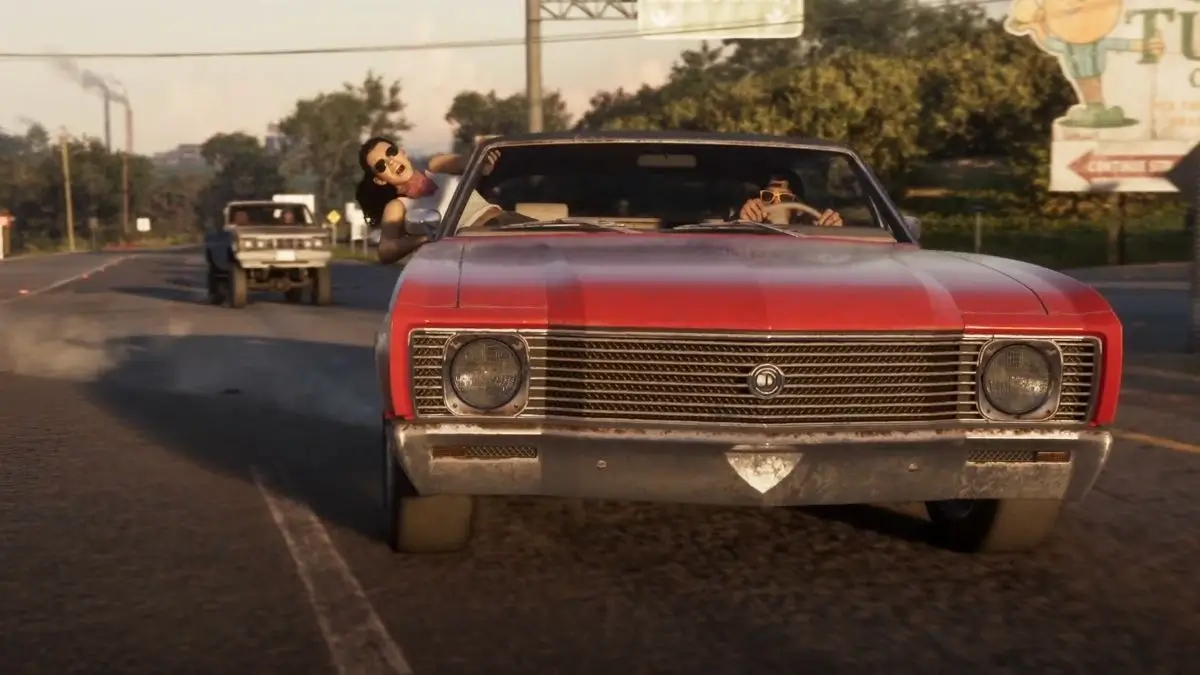
The wanted system in GTA 6 is a significant overhaul compared to what players are used to in GTA 5. Cops don’t show up on the minimap; heat indicators give police a memory of who they are looking for, and search areas are visible on the map. Here is everything we could notice about the new wanted system in GTA 6 during the extended look on Netflix.
How Does the Wanted System Work in GTA 6?
Before we jump into detailed sections, I want you to understand that the new GTA 6 wanted system is divided across various systems.
- The color of the wanted star tells you the current status of chase.
- The number of stars tell you the intensity of the cops.
- GTA 6 has heat indicators that track what the police knows about you and what you need to do to evade them.
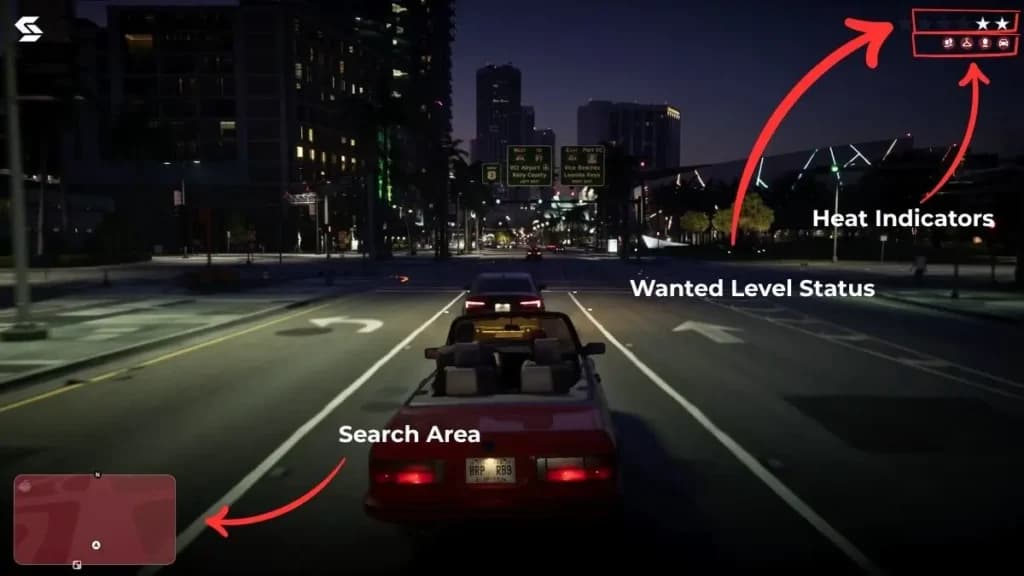
- Search areas appear on the map as visible circles that expand depending on how many stars you have.
All of these systems work together in GTA 6. This seems much more detailed than what we had in GTA 5, where breaking line of sight meant losing the cops. Another major change to the system is that police don’t appear on the mini-map. However, GTA 6 has added a focus ability that lets you see police vehicles through walls for a limited time. Here is a quick infographic of the system:
Wanted Stars
There are four different star states in GTA 6 with each giving you clue about where you stand with the police:
Wanted Stars Icon Symbols Meaning
A quick overview of what each star color icon means
 White Stars The white stars icon mean that you are being chased by the police.
  Grey StarsThe grey stars mean that you are not in the sight however still being chased.
  Red StarsThe red stars icon mean that the police has lost you however you are still in the search area.
  White and Black StarsWhite and black star icon means your location has been reported to the police however they have not identified you yet.
 If you want to check out the footage yourself, I’ve listed the timestamps below for when these wanted-star states appear in the Extended Look:
- The white stars appear during the police chase sequence at around the 14-minute mark.
- The grey stars appear around the 12-minute mark.
- The red stars appear after the chase scene with Raul Batista is over and the police have lost sight of Jason and Lucia. However, since they are still within the search area, the stars turn from white to red. The timestamp for this is around the 16-minute mark.
- The hollow white star, or the white-and-black star icon, needs a bit more explanation. When you see this icon, you appear to be at the stage where the police have only been informed of your general location and have not yet identified you. You can see this in the Extended Look at around the 18:10 timestamp. Once the icon appears in the top-right corner, Jason says, “Cops are on the way,” and the scene shows Jason and Lucia riding past police vehicles on the bike without being identified.
You can check the status of these stars by checking the color of the stars in the top right corner of the screen. I am attaching an image below for your reference:
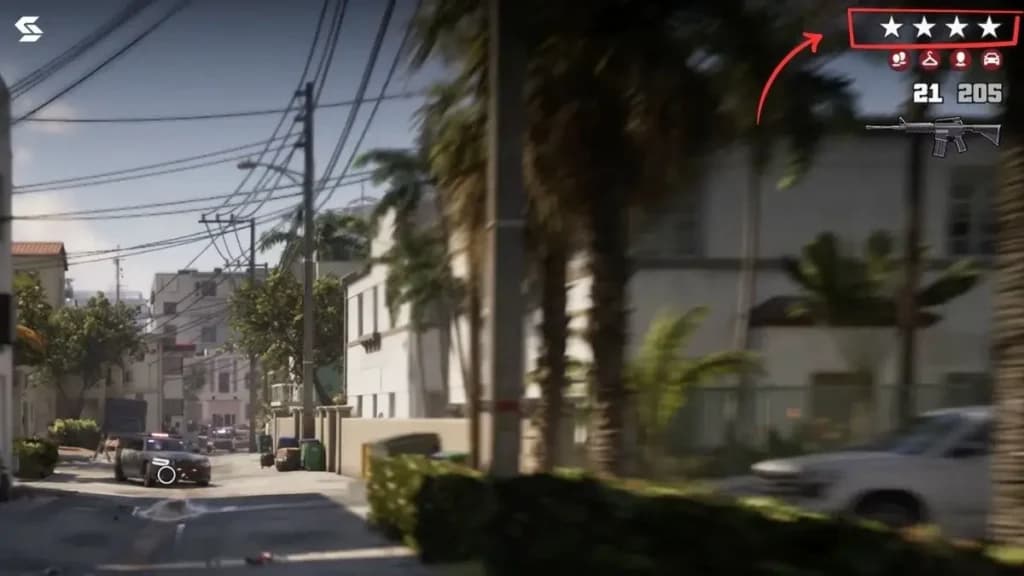
The star system has another layer, just like the previous GTA series, where the number of stars means the intensity of the chase.
Wanted Stars Number
A quick overview of what wanted stars numbers signify.
Note: I am currently working on how the number of stars affects the intensity of the chase.
Heat Indicators
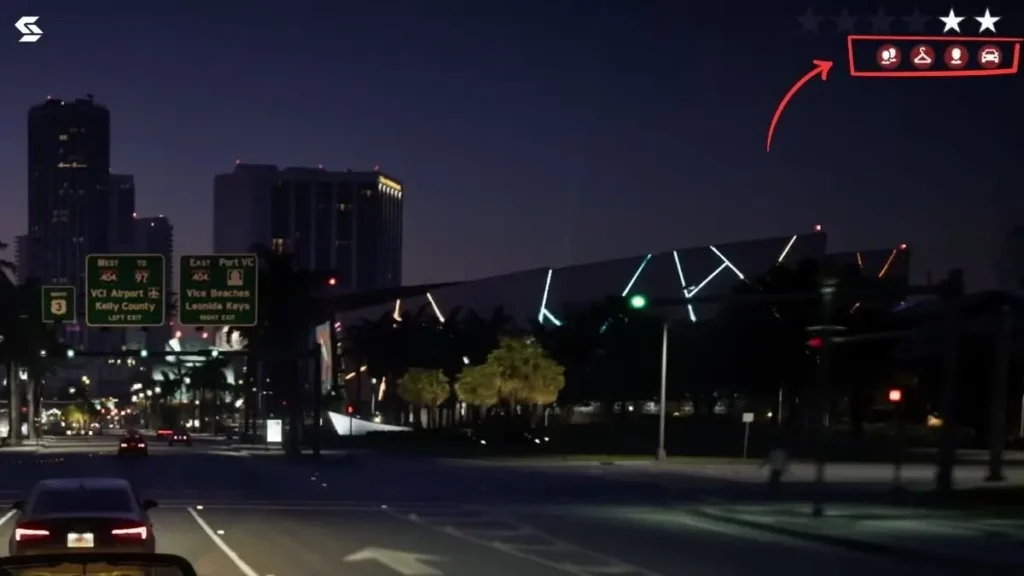
This is probably the biggest change to the wanted system. I was able to notice 6 different heat indicators during the Netflix Extended look, and each refers to an aspect that the police know about you. You can spot these icons in the top right corner of the screen, right below the status of the wanted level stars. For your reference, I have even marked it on the image above.
Heat Indicators Icon Symbols Meaning
A quick overview of what every Heat Indicators mean
 CCTVYou are being recognised by the CCTV in that area.
 Two HeadsYou have been identified together.
  Hanger Your outfit has been identified or in simpler terms, the police know what you are wearing.
 Single HeadCops have identified your face.
 Gun/PistolThe weapon has been identified by the cops.
  Vehicle/CarYour vehicle has been identified by the cops.
Most of these heat indicators were shown in the extended look at different timestamps. Each heat indicator you can see on the top right corner makes it harder to lose a wanted level. If you want to lose the wanted levels, you will need to clear them one by one.
Search Areas
After police loses the direct sight of you, two circles appear on the map.
- The inner circle is dark red
- The outer circle is lighter red.
Getting out of the inner circle won’t guarantee that you will lose the wanted level; however, getting out of the outer circle means you have escaped the pursuit entirely. One more thing: the size of the circles will depend on the number of wanted level stars. At the time of writing, I am not sure if fast travel methods are available during the chase.
Related Posts

About GTA 6

- Released
- Upcoming (November 19, 2026)
- Developer
- Rockstar Games
- Publisher
- Rockstar Games
- Platforms
- PlayStation 5 and Xbox Series X/S
- Genres
- Action-adventure
- Rating
- M (17+)